
Incident reporting systems usually get attention after something has already gone wrong. A patron goes down near the bar, a crowd surge starts at a festival gate, a subcontractor reports damaged temporary fencing, or a guard radios in an altercation and nobody is sure who owns the next step. In live environments, the risk isn't only the incident itself. The bigger failure is often the gap between what happened, what was reported, and what action followed.
That gap is where good operators lose control.
At events, venues, and construction sites across Australia, the teams that manage incidents well don't rely on memory, scattered WhatsApp messages, or end-of-shift summaries scribbled into a notebook. They use incident reporting systems that turn frontline observations into decisions, evidence, and follow-up. Done properly, the system protects people first. It also protects licences, reputation, insurance positions, and the operational credibility of the site team.
A failsafe system isn't just software. It's a reporting trigger, a workflow, a culture, and a review process that still works when the site is busy, loud, short-staffed, or under pressure.
The Critical Role of Modern Incident Reporting Systems
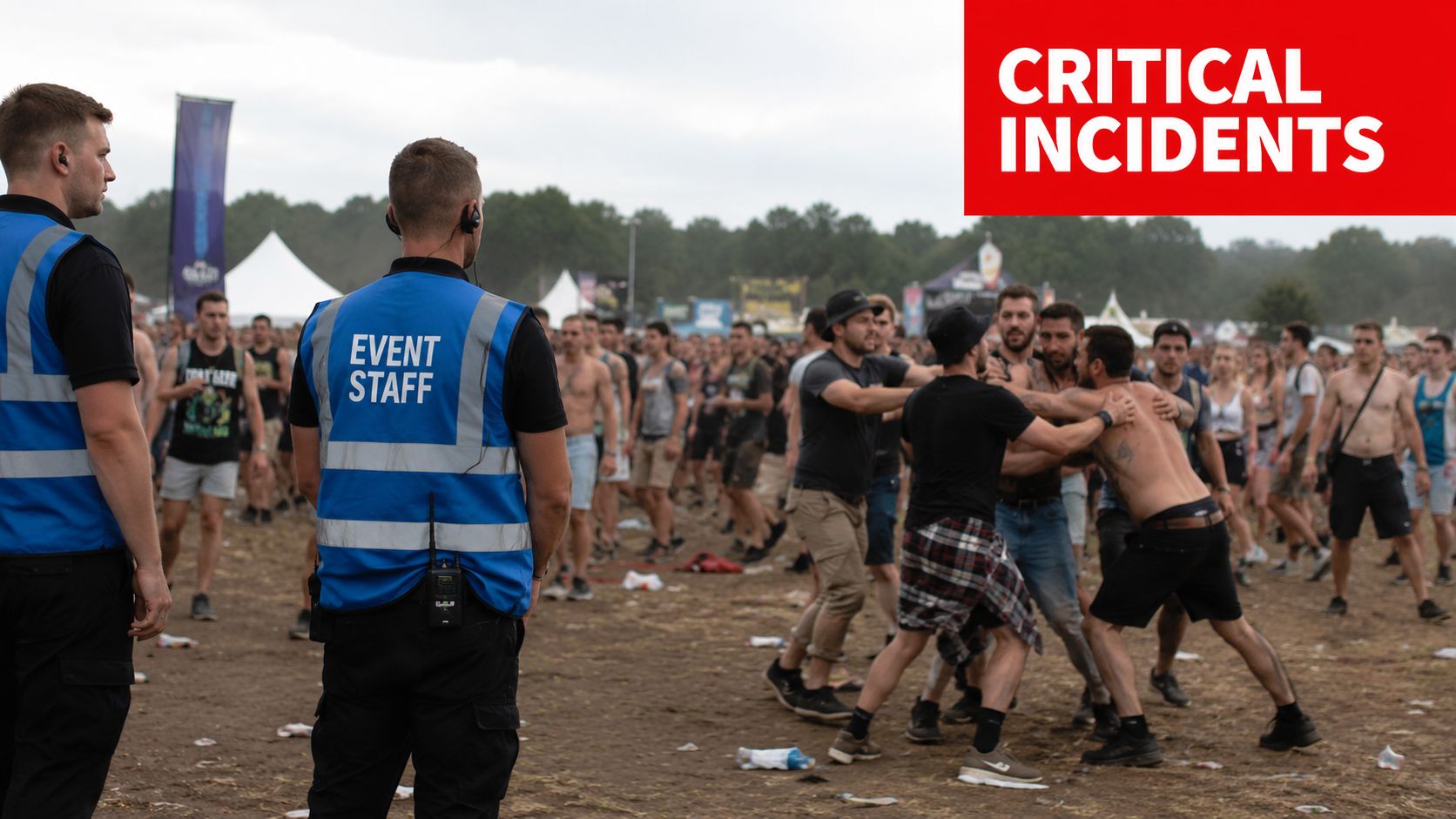
A common failure point at a large public event starts small. Security removes one aggressive patron from a bar queue. A second team nearby sees the same group regrouping outside the perimeter. Operations hears a fragment of the story over radio. Venue management gets a different version ten minutes later. By the time supervisors piece it together, the original incident has become a welfare issue, a crowd issue, and a complaint issue.
That's what weak incident reporting systems look like in practice. Too many channels. No single source of truth. No fast classification. No clean handover from the person who saw the problem to the person who has to manage the risk.
Why the system matters on live sites
In the field, incident reporting systems act like an operational backbone. They capture what happened, who responded, what evidence exists, what immediate controls were applied, and what still needs attention. That matters at a festival, but it matters just as much on a construction site after a near miss, or in a hotel when staff deal with a patron injury.
The Australian safety context shows why formal reporting matters. The urgent need for systematic monitoring in Australia was established in 1992, after an estimated 18,000 deaths were linked to adverse events, leading to national mandatory reporting schemes like the Australian Sentinel Events list, as outlined in this overview of clinical incidents in Australia.
The lesson for security operations is straightforward. If serious systems were built because harm was being missed, then event, venue, and site operators can't afford informal reporting habits.
Practical rule: If a report can't tell a supervisor what happened, what risk still exists, and who owns the next action, it isn't a usable report.
Compliance is only the starting point
Reporting is often first considered in terms of compliance. That's necessary, but it's too narrow. A strong reporting process also improves command decisions during the shift and sharpens post-event reviews.
Three direct outcomes matter most:
- Faster escalation: Teams route serious matters to the right decision-maker without delay.
- Cleaner evidence: Names, times, locations, witness details, and actions taken are captured before memory fades.
- Better pattern recognition: Repeated issues around one gate, one tenancy, one contractor, or one service area become visible.
Operators who already track service performance through tools like contact center KPIs and dashboards will recognise the same principle here. If the dashboard only counts volume and not response quality or closure, leadership sees activity, not control.
That's the central problem incident reporting systems must solve. They must convert field activity into accountable action.
Conducting a Needs Assessment for Your Specific Environment
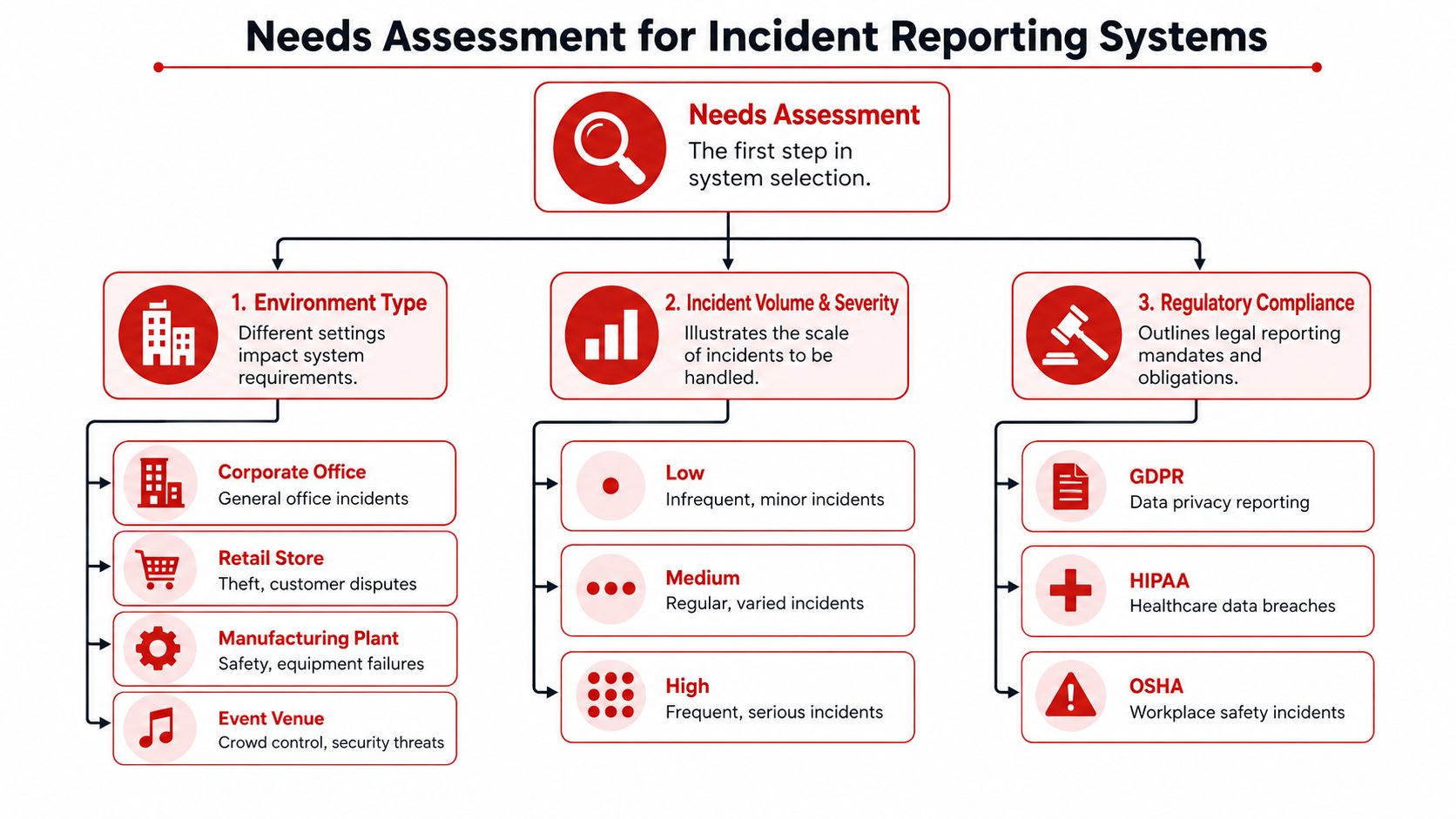
Buying software before defining your environment is how reporting projects fail. A venue with RSA issues, ejections, and patron welfare calls doesn't need the same workflow as a construction site dealing with plant movement, subcontractor hazards, and access breaches. A retail precinct has a different profile again, with theft, aggressive behaviour, and customer injury risk sitting alongside contractor attendance and after-hours patrols.
A proper needs assessment starts with the site reality, not the sales demo.
Start with environment and incident type
The first question is simple. What happens on your site?
At a festival, your reporting system has to handle rapid entries for crowd behaviour, intoxication, lost persons, medical assists, perimeter breaches, and contractor issues. On a construction project, the same system must support hazards, unsafe acts, damaged barriers, near misses, delivery conflicts, and site access breaches. In hospitality, you need room for RSA concerns, patron refusals, assault allegations, slips, welfare checks, and CCTV preservation requests.
A one-size-fits-all template usually fails because it either asks too little or too much.
Use this short working list during assessment:
- Incident families: Define your most common report types before you build forms.
- Response ownership: Identify who triages each type. Security, venue ops, WHS, duty manager, or project lead.
- Evidence sources: Note where supporting evidence comes from, such as body-worn notes, CCTV, witness accounts, or access logs.
- Escalation thresholds: Decide which incidents stay local and which ones trigger immediate manager review.
Map compliance and hidden cost
The second question is what the law, licence conditions, and client obligations require from your records. Event and hospitality teams may need stronger RSA-related fields and faster management sign-off. Construction teams may need tighter WHS alignment, contractor traceability, and site induction links. Multi-state operators also need consistency across NSW, VIC, QLD, and the ACT without making site teams wrestle with bloated forms.
Poor structure has a measurable cost. Unstructured reporting workflows in Australian event and construction security lead to 40% higher operational waste per incident compared to clinical settings, consuming 15-20% of a venue's safety budget without proportional risk reduction, according to this narrative review of incident reporting systems.
That operational waste usually shows up in familiar ways:
| Where waste appears | What it looks like on the ground |
|---|---|
| Duplicate reporting | Guards, supervisors, and managers each record the same event differently |
| Missing fields | Critical details require follow-up calls after the shift |
| Weak categorisation | Reports can't be sorted for trend analysis |
| Slow closure | Open actions sit with no owner or due date |
The best needs assessment isn't a workshop slide. It's a week of looking at real incidents and asking why the report did or didn't help the next person act.
Check the stack you already use
Before adding a new platform, review current tools. Many operators already use rostering apps, CCTV systems, access control, patrol verification, and radio logs. The question isn't whether your incident reporting systems can do everything. It's whether they can connect cleanly to the systems that already hold part of the story.
If your system can't support mobile entry, photo capture, supervisory review, and a clear closure trail, it won't hold up under live conditions.
Selecting the Right Incident Reporting Technology
Most software in this category looks good in a boardroom demo. The true test is whether a guard can complete a usable report on a phone, under noise, poor light, and time pressure, without turning a live incident into an admin exercise.
That's why selecting incident reporting systems should start with field usability, then move to workflow control, then to analytics. In that order.
What the platform must do in the field
For events, construction, and retail environments, the minimum standard is practical rather than flashy. The platform needs mobile access, simple form logic, reliable notifications, and clear supervisory visibility. If it can't handle patchy coverage, multiple report types, or fast escalation, it becomes a digital notebook instead of a management tool.
The strongest platforms also let teams customise templates by environment. A crowd-related report shouldn't look like a machinery hazard form. A welfare check shouldn't use the same fields as a theft or access breach.
Here's the shortlist I use when assessing options.
| Feature | Why It's Critical for Events, Construction & Retail |
|---|---|
| Mobile-first reporting | Frontline staff need to enter facts immediately, not hours later at a desk |
| Offline capability | Remote sites, back-of-house areas, and temporary event zones often have poor connectivity |
| Custom report templates | Different environments need different fields, triggers, and evidence prompts |
| Real-time routing | High-risk matters must go straight to the right supervisor or manager |
| Photo and attachment support | Images, screenshots, and supporting files improve clarity and investigation quality |
| Role-based permissions | Sensitive reports need controlled access without blocking operational review |
| Action assignment | Reports must create accountable follow-up, not just a static record |
| Audit trail | Leaders need to see who entered, edited, reviewed, and closed each record |
| Search and trend analysis | Teams need to spot repeat locations, repeat offenders, and recurring hazards |
| Integration options | CCTV, patrol systems, and access control data become more useful when linked |
Questions worth asking vendors
Don't ask only what the software can do. Ask what it prevents.
A decent vendor should be able to answer questions like these without hand-waving:
- How fast can a first responder submit a report from a phone?
- Can one event trigger different workflows based on severity or category?
- What happens if the user has no signal?
- Can supervisors return incomplete reports for correction without losing the audit trail?
- How are actions tracked to closure?
- Can the system separate operational notes from sensitive welfare or HR details?
Avoid the digital logbook trap
Many organisations think they've modernised because they replaced paper with an app. That isn't the same as having an incident management capability.
If the platform only stores reports, you've digitised the problem. You haven't fixed it.
The right incident reporting systems should support triage, investigation, action tracking, and review. A basic logbook records the past. A proper platform helps the team manage what happens next.
Designing Effective Incident Reporting Workflows
Technology only works when the workflow is clear. If staff don't know what to report, when to report it, how to classify it, or who reviews it, even good software produces messy data and weak follow-up.
A failsafe workflow has to survive shift pressure. It needs clear triggers, short reporting windows, and named owners.
Build around speed and clarity
The strongest model is simple enough for frontline use and disciplined enough for management oversight. In Australian guidance for incident management, robust systems include a just culture, non-punitive workflows, mandatory 24-hour or end-of-day reporting timelines, multidisciplinary categorisation, risk register linkage, real-time routing, anonymous reporting options, and automated metrics. The same guidance notes that organisations enforcing strict de-identification and open disclosure protocols see 30-50% higher reporting rates and staff buy-in, as outlined in the ACSQHC incident management guide.
That matters because blame-heavy systems drive silence. Staff won't report near misses or low-level warning signs if they expect punishment for raising them.
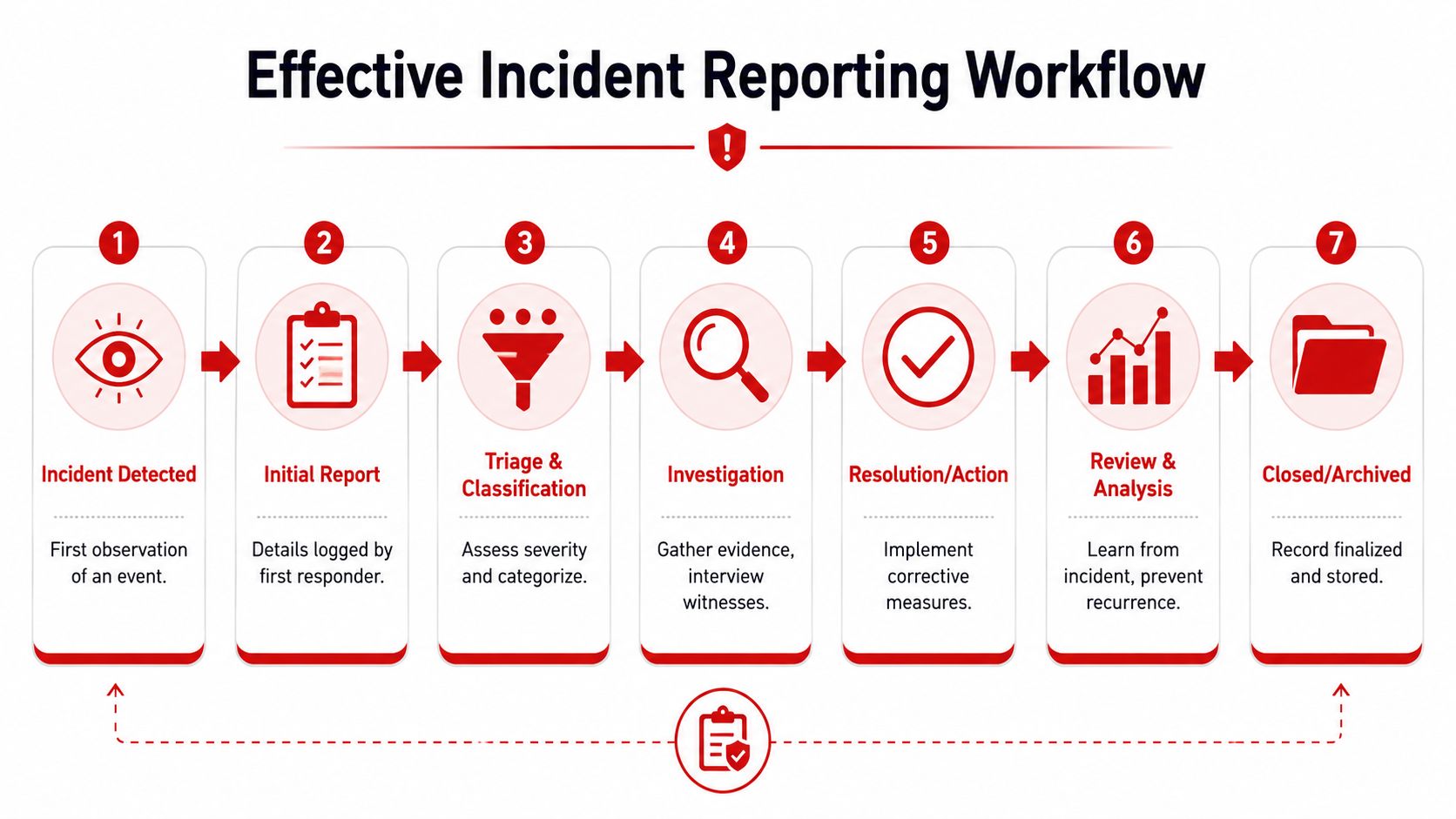
A practical workflow that holds up
Use a workflow that follows the incident lifecycle without overcomplicating it.
Detection and immediate control
The first responder deals with safety first. Separate parties, call medical if needed, preserve the area, or isolate the hazard.Initial report submission
The staff member records facts while they're fresh. Time, location, involved persons, actions taken, and whether risk remains.Triage and classification
A supervisor or duty manager classifies the event. Near miss, no-harm incident, security incident, welfare matter, property damage, or serious event.Escalation and notifications
High-severity events route to management immediately. Some incidents also require external notification depending on the environment and obligations.Investigation and evidence gathering
Pull CCTV, witness accounts, radio logs, photos, and site notes. Keep opinion separate from fact.Corrective action
Assign tasks with owners. Repair fencing, adjust staffing, update gate layout, retrain staff, or amend contractor controls.Closure and review
Close only when action is verified, not when the noise has died down.
A useful parallel comes from communications design. Systems work better when the tool drives the process instead of just carrying messages. That same principle is explained well by ConnectCX on workflow-driven phones, and it applies directly to incident reporting.
Field note: Closure should require proof. “Resolved” without a checked action, attached evidence, or management sign-off is how the same problem comes back next week.
Link reports to the risk register
This is the step many operators miss. If repeated incidents don't feed the organisation's risk register, the system stays reactive. A pattern of gate crushing, recurring intoxication problems in one service area, or repeated perimeter breaches should trigger formal review at management level.
That's how incident reporting systems stop being a filing exercise and become part of operational control.
Driving System Adoption Through Staff Training
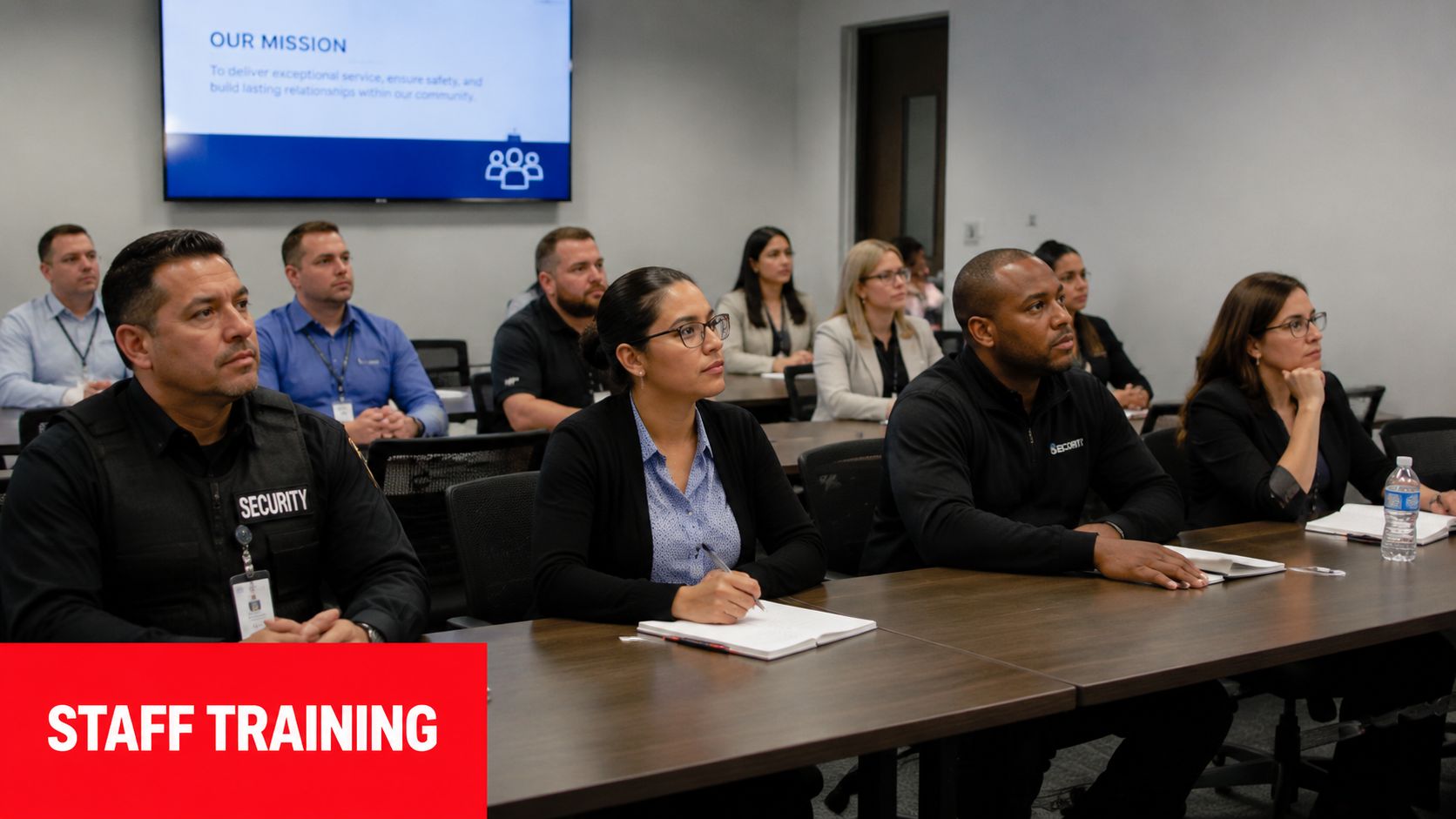
Under-reporting is usually blamed on staff attitude. In practice, it's often a training and trust problem. If people don't know what qualifies as reportable, think the form takes too long, or believe nothing happens after they submit it, reporting drops fast.
That's why rollout training can't be just a software walkthrough.
Train for judgement, not just data entry
In Australia, incident frequency may be under-reported by up to ten times, yet when incidents are captured and investigated through systems like AIMS, 83% of investigations lead to measurable changes in safety practices, according to the Australian Institute of Health Innovation.
That tells operators two things. First, teams are probably seeing more than the system captures. Second, better reporting produces practical change when leaders actually investigate and act.
Good training focuses on judgement calls staff face on shift:
- What counts as a near miss: A barrier that nearly fell, a patron almost entering a restricted area, a vehicle nearly colliding with a pedestrian.
- What must be factual: Observations, direct actions, timestamps, and visible conditions.
- What to avoid: Guesswork, loaded language, personal opinions, and unsupported conclusions.
Make reporting easier than avoidance
If reporting is slower than moving on, people will move on. The most effective staff training therefore includes rehearsed, repeatable habits.
Use scenario drills such as:
- Festival crowd issue: Staff practise reporting a queue surge with location, crowd behaviour, controls applied, and supervisor notification.
- Hospitality welfare incident: Team members document intoxication indicators, refusal of service, medical handover, and witness details.
- Construction near miss: Guards and site supervisors record the hazard, immediate isolation step, contractor involved, and follow-up owner.
Keep quick guides short. A one-page field checklist often works better than a long manual. Reinforce the same structure every time: who, what, when, where, how, and immediate action taken.
Teams don't need more theory. They need a clean standard they can use under pressure without second-guessing themselves.
Show staff that reports lead to action
Nothing kills adoption faster than silence after submission. If team members never hear outcomes, they assume reporting disappears into admin.
Close that loop in toolbox talks, pre-shift briefings, and supervisor reviews:
- Share lessons learned: Explain what changed after a reported issue.
- Highlight good reporting: Use anonymised examples of strong factual reports.
- Correct without shaming: Return weak reports with coaching, not ridicule.
- Report back on fixes: Tell staff when lighting was repaired, staffing changed, or entry controls adjusted because someone logged the issue.
That's how incident reporting systems become part of site culture instead of a compliance burden.
Frequently Asked Questions About Incident Reporting
How should near misses be handled in incident reporting systems
Treat near misses as reportable intelligence, not optional extras. If someone nearly gets hurt, if access control nearly fails, or if a crowd issue is contained before injury occurs, record it. The value is in the warning. Near misses often show where procedures, staffing, or site layout are already under strain.
What's the biggest reporting failure in event security
The closure gap. In Australian event security, 78% of reported incidents lack follow-up closure, and 65% of reports are never analysed for trends, contributing to a 22% increase in repeat incidents at venues, based on this USC analysis of incident feedback loop failures.
If your team records incidents but doesn't assign actions, review patterns, and verify closure, the same problems will repeat.
How often should we review our incident reporting systems
Review the workflow whenever site conditions change materially. That might be a new venue layout, a new client requirement, a shift in crowd profile, a major construction stage change, or a repeated incident type that keeps reappearing. A static process usually drifts out of step with live operations.
What should a good report always include
At minimum, every report should capture:
- People involved: Staff, patrons, contractors, witnesses
- Location and timing: Exact place and best available time record
- Observed facts: What the reporter saw or was told directly
- Immediate actions: Separation, first aid, ejection, isolation, escalation
- Residual risk: Whether the issue is contained or still active
How do we get supervisors to take closure seriously
Make closure visible and accountable. Open actions need an owner, a due point, and evidence of completion. Supervisors should also know that unresolved reports affect operational risk, not just paperwork quality. Many teams find that publishing internal guidance and simple reference material helps. External resources such as these frequently asked questions can also be useful for clarifying how alerting and response processes should work in practice.
Should every serious incident be mandatory to report
Yes. In healthcare, the rule for sentinel events is explicit. All such serious events must be reported through the relevant system, as described in this overview of reportable incidents. Security operations should apply the same discipline. If an incident involves serious harm, serious threat, or major exposure, discretion should be removed. The trigger should be automatic.
If your organisation needs incident reporting systems that work in busy venues, live events, and active construction environments, GM GROUP Services can help you strengthen frontline reporting, supervision, and follow-through across NSW, VIC, QLD, and the ACT. Their teams understand the operational pressure behind every report and build security delivery around clear communication, accountable site processes, and practical risk control.
Discover more from GM Group Services
Subscribe to get the latest posts sent to your email.