
How to improve team coordination in an Australian security or event team usually becomes urgent the moment the radios get busy, the load-in runs late, and three people start doing the same job while another task slips through the cracks. In that kind of shift, the main issue isn't effort, it's coordination. The fix is rarely more meetings. It's clearer roles, tighter handoffs, and a communication system that matches the pace of the site.
Understanding Coordination Challenges
At a mid-size festival in NSW, the problem usually shows up before gates open. One guard thinks the crowd-line check belongs to the supervisor, the supervisor assumes it's covered by the contractor lead, and the contractor lead is dealing with a delivery issue at the other end of the site. By the time everyone realises the gap, the same section has been checked twice while another area hasn't been covered at all.
That's not just messy. It's the exact kind of weak alignment that turns into duplicated effort, delayed decisions, and avoidable rework. A useful Australian baseline is that 1 in 3 Australian businesses reported redoing the same work weekly, which is a strong sign that unclear ownership and poor handoffs are costing time and focus (People Matters Global).
For event and venue teams, that matters because coordination failures show up in the most visible places, crowd control, access points, contractor movements, incident escalation, and client confidence. A client rarely sees the internal confusion, but they do see the knock-on effect when issues take longer to resolve. In practice, how to improve team coordination starts by treating coordination as an operational control, not a personality trait.
Practical rule: if two people can both reasonably believe a task is theirs, the task isn't assigned clearly enough.
Improve Team Coordination With Role Clarity
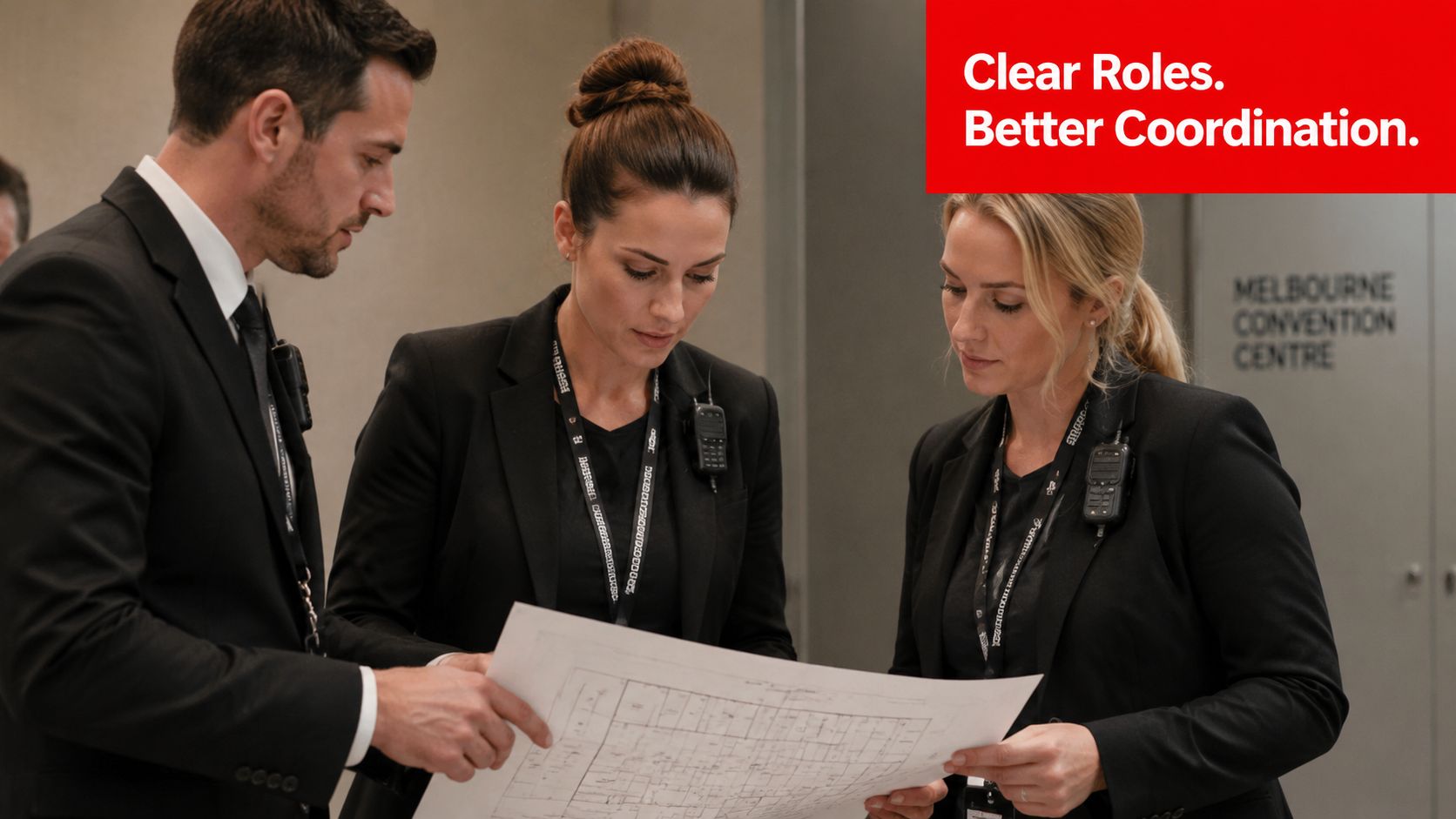
Unclear roles create a double cost. The team wastes time duplicating work, then wastes more time untangling who should have acted first. Australian policy guidance makes the fix pretty direct, coordination improves when workplaces build flat accountability structures and align individual jobs with organisational aims, which puts role clarity at the centre of system design (DEWR cooperative workplaces discussion paper).
Map the work before the shift starts
A simple ownership matrix works better than a vague roster note. For a corporate conference in Melbourne, for example, the security supervisor should own escalation decisions, the floor lead should own patrol coverage, and the checkpoint guard should own credential checks. If the venue also has a contractor supervisor on site, that person needs a separate lane of responsibility, not an informal “help out where you can” instruction.
Useful standard: one task, one owner, one escalation path.
A RACI chart can help, but only if it's built for the actual shift pattern. For multi-site deployments, the same person may be Responsible on one site and Consulted on another, which is where generic templates fall apart. Keep the chart tied to actual handover points, venue zones, and incident triggers your team uses every day.
Write role agreements that hold under pressure
Role agreements shouldn't be long documents. They should state what each person controls, what they must escalate, and who signs off when the situation changes. That's especially useful when casual staff, contractors, and supervisors rotate through different events, because memory is a weak system once the site gets loud.
A good role agreement also names what the person does not own. That sounds small, but it stops task drift. If a guard knows they are not expected to manage contractor access unless specifically told to, they're less likely to walk away from their post under pressure and less likely to assume someone else has seen the issue.
Build accountability into the roster
A roster without decision rights is just attendance. A roster with decision rights tells the team who can approve a hold point, who can reassign coverage, and who can call the venue manager. That keeps the security team moving without a chain of confusion every time conditions change.
Improve Team Coordination With Communication Protocols
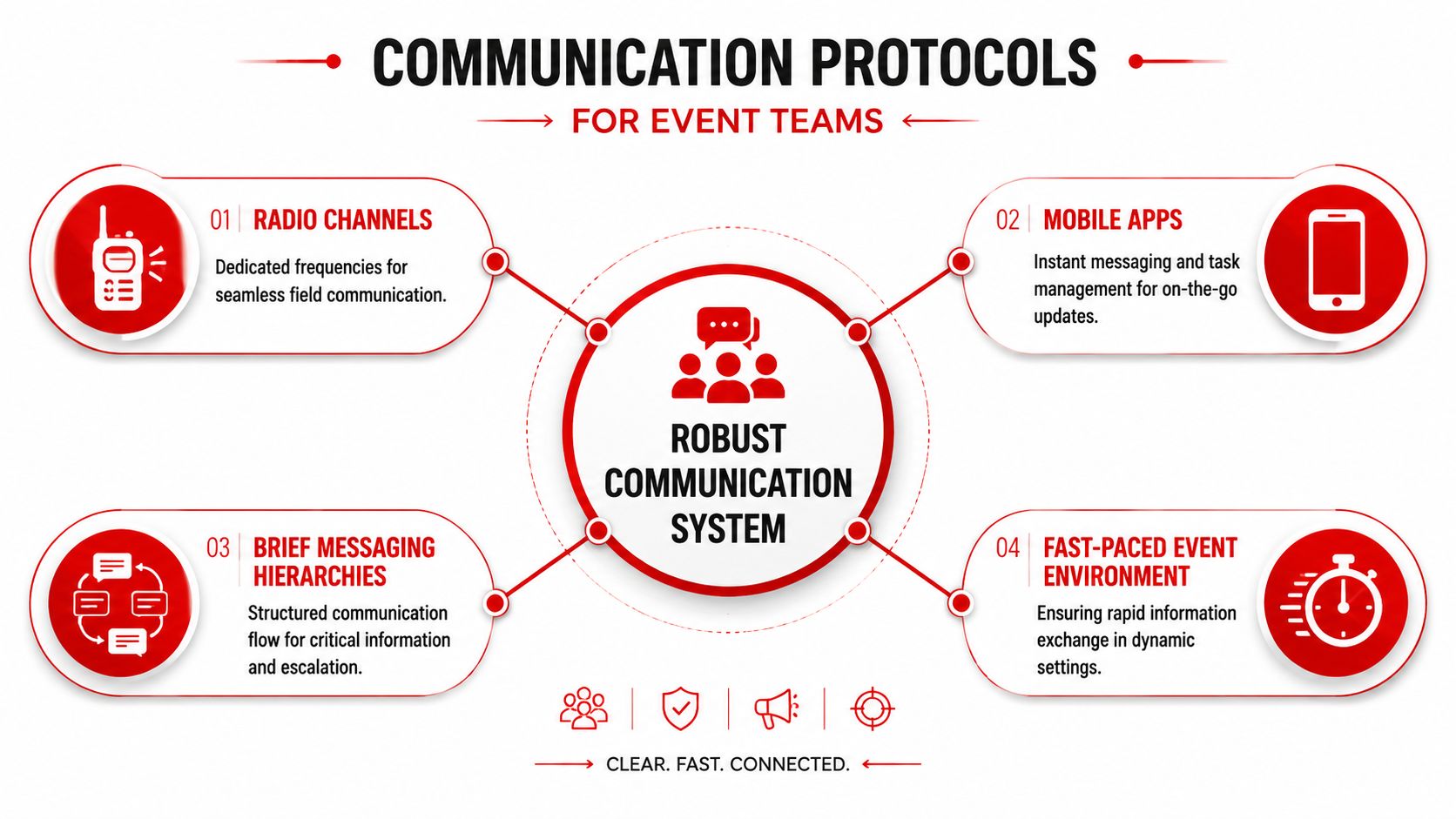
A fast-moving event doesn't need more noise, it needs a communication protocol that tells people what channel to use, what message format to follow, and when to escalate. Safe Work Australia's model Code of Practice makes that shift explicit, using paid pre-start briefings, staggered consultation, and focused meetings as practical ways to exchange information, consult, and coordinate (Safe Work Australia).
Match the channel to the urgency
Use radios for live control, mobile messages for non-urgent coordination, and short briefings for decisions that need shared confirmation. Radios are fast but easy to clutter. Mobile apps are useful for records and task allocation, but they're poor substitutes for urgent voice comms when a crowd movement changes in seconds.
That's why a layered system works better than relying on one channel for everything. Routine updates can sit in a task app or group chat, while critical instructions stay on the radio and then get confirmed in a briefing if the change affects multiple teams. The goal is fewer repeated messages and less confusion over who saw what.
Keep escalation short and explicit
When a guard spots an issue, they should know exactly who to tell first and what information to include. A brief format helps, location, issue, immediate risk, action taken, and support needed. That keeps the message consistent and makes it easier for a supervisor to decide whether to dispatch, hold, or escalate.
For a useful practical comparison, the article on effective communication for sports teams makes a similar point about clarity under pressure, and the same logic applies on a security site. The channel matters, but the hierarchy matters more. If everybody can bypass everyone, important information gets scattered.
Make feedback part of the system
A communication protocol isn't finished when the message is sent. Teams need a closed loop so the sender knows the message was received and acted on. That can be as simple as a radio readback, a confirmation in the chat, or a supervisor update at the next briefing.
Many teams often slip. They send more messages but don't verify understanding. The result is high volume, low confidence. A tighter protocol reduces that by making confirmation a habit, not a hopeful assumption.
Design Briefing And Debrief Workflows
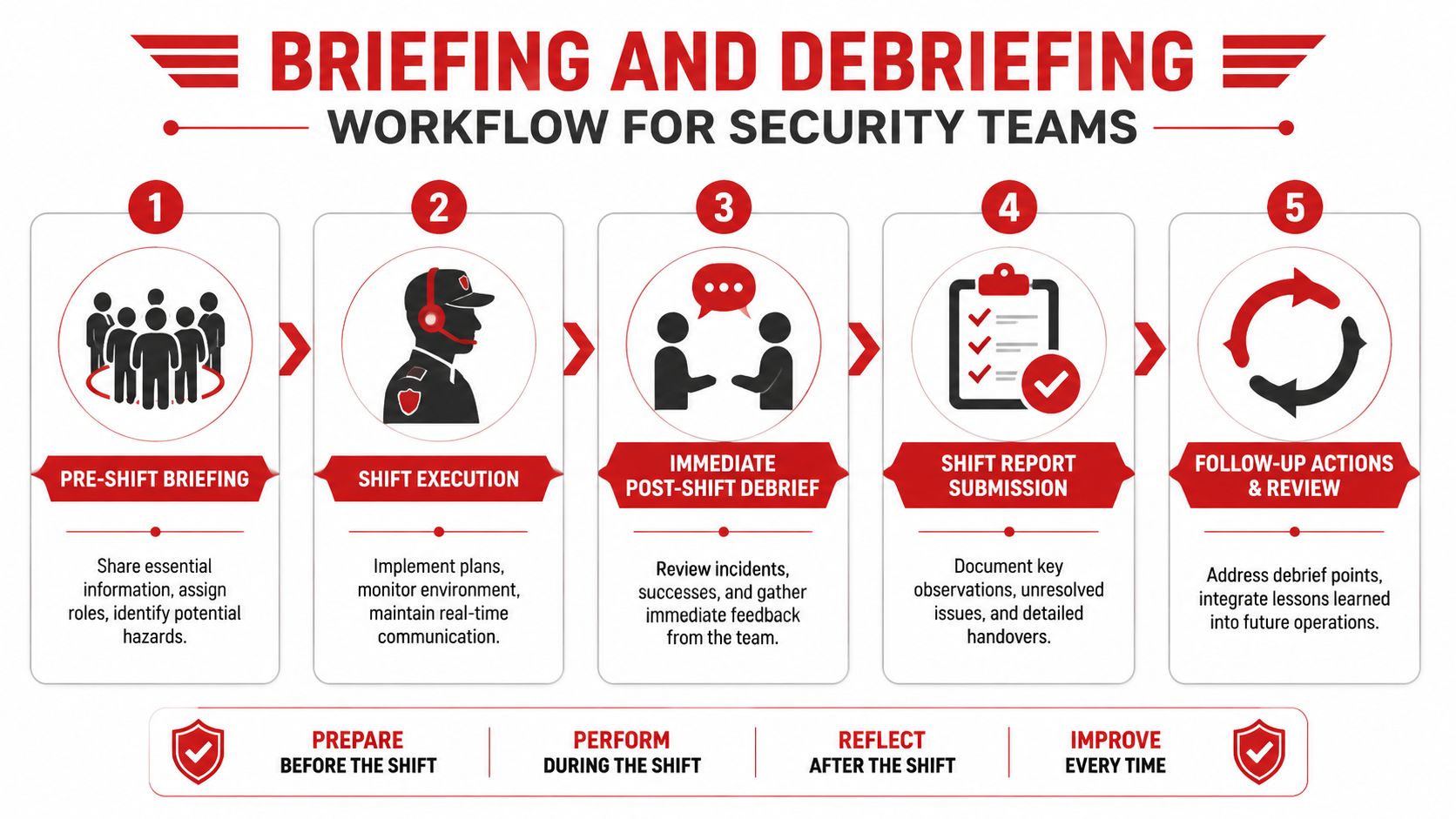
WorkSafe Queensland's approach starts early, involve workers, assign clear WHS roles, keep refresher training active, and maintain records so gaps can be audited and corrected (WorkSafe Queensland). That fits security work well because the best handover is the one that happens before the pressure hits.
Pre-shift briefing
Start with the essentials, site risks, role assignments, expected peaks, and any access issues. Keep it tight, but don't make it rushed. A three-minute briefing that everyone hears is better than a twenty-minute speech that half the team misses.
In a load-in scenario, the briefing should state who controls the dock, who covers public entry, and who handles escalation if deliveries delay opening. If you have new or inexperienced staff, pair them with a buddy or mentor before the site opens. That keeps the team from learning by accident.
Shift execution
During the shift, use short check-ins instead of waiting for problems to compound. If the crowd profile changes, the supervisor should adjust coverage and confirm the change with the relevant guard. If a section goes quiet, that's a chance to reassign rather than to assume all is well.
Immediate debrief
A debrief works best while details are still fresh. Ask what changed, what was missed, what slowed the response, and what should happen differently next time. Keep the tone practical, not defensive, because people won't share useful information if they think the debrief is just a blame exercise.
The best debriefs produce one change you can use on the next shift.
Records and follow-up
Close the loop with a shift report that captures incidents, unresolved issues, and handover notes. That record is what lets you audit the system later and spot recurring gaps in staffing, radios, access, or supervision. Without it, every shift starts from scratch.
Use Training Drills And Technology Tools
Cyber.gov.au's incident-response guidance is blunt about what reduces confusion, name the notifier and response roles, then build training and exercises into the plan as technical controls against chaos (Cyber.gov.au). That applies to security teams too, because coordination improves when people rehearse the handoff, not just read about it.
Pair drills with the scenario
A crowd surge drill should test whether the first notifier can reach the supervisor fast, whether the response team knows where to stage, and whether the comms channel holds under pressure. A VIP movement drill should test discreet routing, perimeter changes, and how quickly the floor team gets the updated plan. An emergency escalation drill should test who calls whom, in what order, and what gets documented.
The point isn't to create perfect simulations. It's to expose the weak points before a real event does. If the team freezes during a drill, that's useful data, not failure.
Use technology that supports the workflow
Radios, incident-management apps, and shared dashboards are useful only when they reinforce the same operating model. A dashboard should show what matters now, not everything the system can collect. An incident app should capture decisions and handovers, not create another place for forgotten updates.
Choose tools by operational fit
- Radios: best for immediate field direction, but they need discipline so channels don't become clutter.
- Incident apps: useful for logs, handovers, and follow-up tasks, but only if staff update them in real time.
- Shared dashboards: strongest for supervisors and managers who need one live view of the site, especially across multiple zones.
The best combination is usually boring. One live source of truth, one urgent comms layer, and one record-keeping layer. That's enough to support fast decisions without burying staff under screens.
Standardise SOPs And Measure Team Performance
The fastest way to lose coordination gains is to let every supervisor invent their own method. Standard operating procedures keep the basics stable, and measurement tells you whether the system is getting better. In practice, how to improve team coordination becomes much easier when the team can see its own handoffs, briefings, and response patterns.
Measure what changes behaviour
Pick a small set of measures that people can act on during the next shift. Handoff completion, briefing attendance, incident response timing, and SOP compliance are all useful because they connect directly to coordination, not just paperwork. Keep the dashboard simple enough that a supervisor can read it quickly and a guard can understand why it matters.
Use the measure to improve the process
If briefings are missed, don't just record the miss. Ask whether the timing clashes with load-in, whether the location is awkward, or whether the briefing is too long. If handovers keep failing, check whether the outgoing team has a written format or whether everything depends on verbal memory.
A short improvement cycle works better than a big annual review. Fix one weak point, test it at the next event, then review the result with the team. That keeps the SOP alive instead of turning it into a file no one opens.
Keep the metric honest
When a measure becomes a target, people will work around it. That means the numbers should support judgment, not replace it. If a dashboard says the team is compliant but the site still feels chaotic, the team leader needs to inspect the process, not celebrate the chart.
Conclusion And Next Steps
Better coordination comes from a few practical moves, clearer roles, tighter communication, structured briefings and debriefs, regular drills, fit-for-purpose tools, and SOPs that get measured. For security and event teams, the aim isn't perfection, it's fewer surprises and faster recovery when the site changes. Start with one roles matrix, one briefing template, and one feedback loop, then build from there.
If you're ready to tighten coordination across a venue, festival, or multi-site operation, use these steps to reset the workflow now. For customized support and ongoing training, reach out to GM GROUP Services.
Discover more from GM Group Services
Subscribe to get the latest posts sent to your email.