
Security Event Information Management System is usually considered only after something goes wrong. A gate incident gets radioed in, a barred patron reappears at another entry, the venue manager gets a phone call about suspicious card activity on the guest Wi-Fi, and someone still has to prepare an incident report that satisfies licensing and audit requirements. By then, the problem isn't just the incident. It's the fact that your information lives in different places, with different timestamps, and in different formats.
For Australian event organisers, venue operators, and security managers, that fragmentation is the primary risk. A modern security operation needs one place where guard notes, patrol logs, access issues, CCTV triggers, and cyber alerts can be viewed together and acted on quickly.
SEO title: 7 Powerful Reasons to Use a Security Event Information Management System
SEO meta description: Security Event Information Management System guidance for Australian venues and events. Learn benefits, features, implementation steps, compliance needs, and pilot tips.
Suggested URL: /security-event-information-management-system
The Command Centre Your Event is Missing
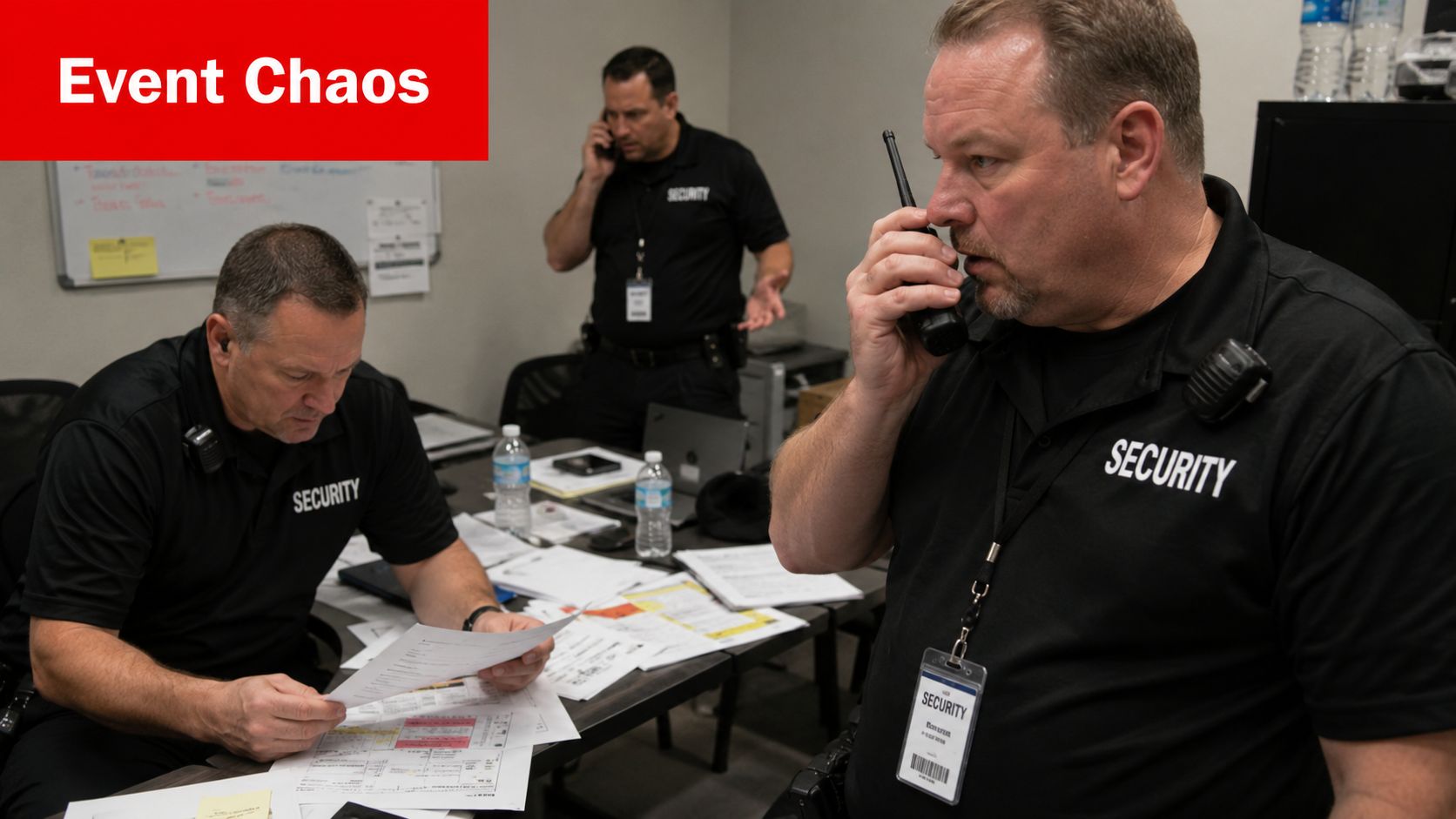
A busy festival night shows the weakness of disconnected security fast. One guard reports aggressive behaviour near the bar. Another logs a perimeter breach on a paper form. The control room receives a camera alert. Meanwhile, the venue manager is trying to work out whether these are separate problems or part of one developing issue.
That's where a Security Event Information Management System changes the operating model. Instead of treating each report as a standalone entry, it acts like a command centre that pulls incidents into a common view. Your team stops chasing fragments and starts managing patterns.
In Australia, the market momentum reflects that shift. The Australian Security Event Management system market was valued at approximately AUD 350 million in 2025 and is projected to grow at a CAGR between 12% and 15%, driven by escalating threats and compliance demands across NSW, VIC, QLD, and ACT, according to this market overview of Australian SEM growth.
Why fragmented reporting fails on event day
Most event teams still rely on a mix of radios, WhatsApp groups, spreadsheets, notebook entries, and end-of-shift reports. Each tool does one job. None gives you the whole picture.
That matters because events don't break down neatly into physical and digital categories. A fake credential, a hostile patron, a lost child, a failed access control point, and a suspicious login on an operations account can all affect the same live operation.
Practical rule: If your supervisor needs to open multiple apps, call multiple people, and compare handwritten notes to understand one incident, your process is already too slow.
A centralised security event information management system doesn't replace judgement. It gives supervisors and managers a cleaner operating picture so they can make better decisions.
Why event managers should care now
Security controls at venues increasingly have to support operations, compliance, and evidence. If you're reviewing understanding enterprise security controls, the useful takeaway for events is simple: controls only work when they connect to how staff report, escalate, and document incidents on the ground.
For events and hospitality, that means the missing command centre isn't just a cyber tool. It's a system that can connect patrol activity, entry incidents, emergency responses, and digital alerts into one operational record.
What Is a Security Event Information Management System
A security event information management system is the operating record for security across a live venue or event. It brings together alerts, reports, logs, and incident details from different sources so supervisors can see one situation clearly instead of piecing it together from radios, emails, notebooks, and separate dashboards.
For event and venue managers, the important point is scope. A useful system does not stop at cyber alerts or server logs. It should also capture guard patrol notes, entry refusals, contractor issues, CCTV incidents, alarm activations, and other physical security records. That combined view is often the difference between spotting a pattern early and treating connected issues as separate problems.
The term sounds heavier than the job it performs. In practice, it does five things:
- Collects security events from systems and staff
- Standardises records so entries from different tools can be reviewed together
- Adds context such as time, location, person involved, and linked assets
- Prioritises response so teams focus on the incidents that affect safety, operations, or compliance
- Keeps an audit trail for reviews, investigations, insurer questions, and regulator scrutiny
That matters on event day. A guard may log aggressive behaviour at Gate 2. Minutes later, access control shows repeated failed credential use nearby. Then an operations account receives suspicious login attempts. Looked at separately, each item can seem manageable. Viewed together, they may point to coordinated misuse, insider involvement, or a broader crowd management issue.
This is why mature security teams use SIEM platforms in security operations. The platform reduces monitoring across disconnected tools and gives analysts a single place to investigate, as the Australian Cyber Security Centre explains in its guidance on implementing SIEM and SOAR platforms. For venues, the same discipline helps with incident consistency, evidence retention, and post-event review.
A good system supports decisions, ownership, and follow-up. It should show what happened, who needs to act, what evidence exists, and whether the incident links to anything else already reported.
If you are comparing detection workflows more broadly, Nutmeg Technologies on threat response is a useful reference because it draws a clear line between receiving alerts and running an actual response process.
The common mistake is assuming existing forms, cameras, and guard apps already add up to information management. They do not, unless those records can be searched together, correlated, escalated, and reviewed as one operational picture. For Australian events and venues, that unified view is where physical security reporting and digital monitoring finally start working as one system.
Core Components and Must-Have Features
A useful Security Event Information Management System isn't defined by how many dashboards it offers. It's defined by whether it can connect operational dots that staff would otherwise miss.
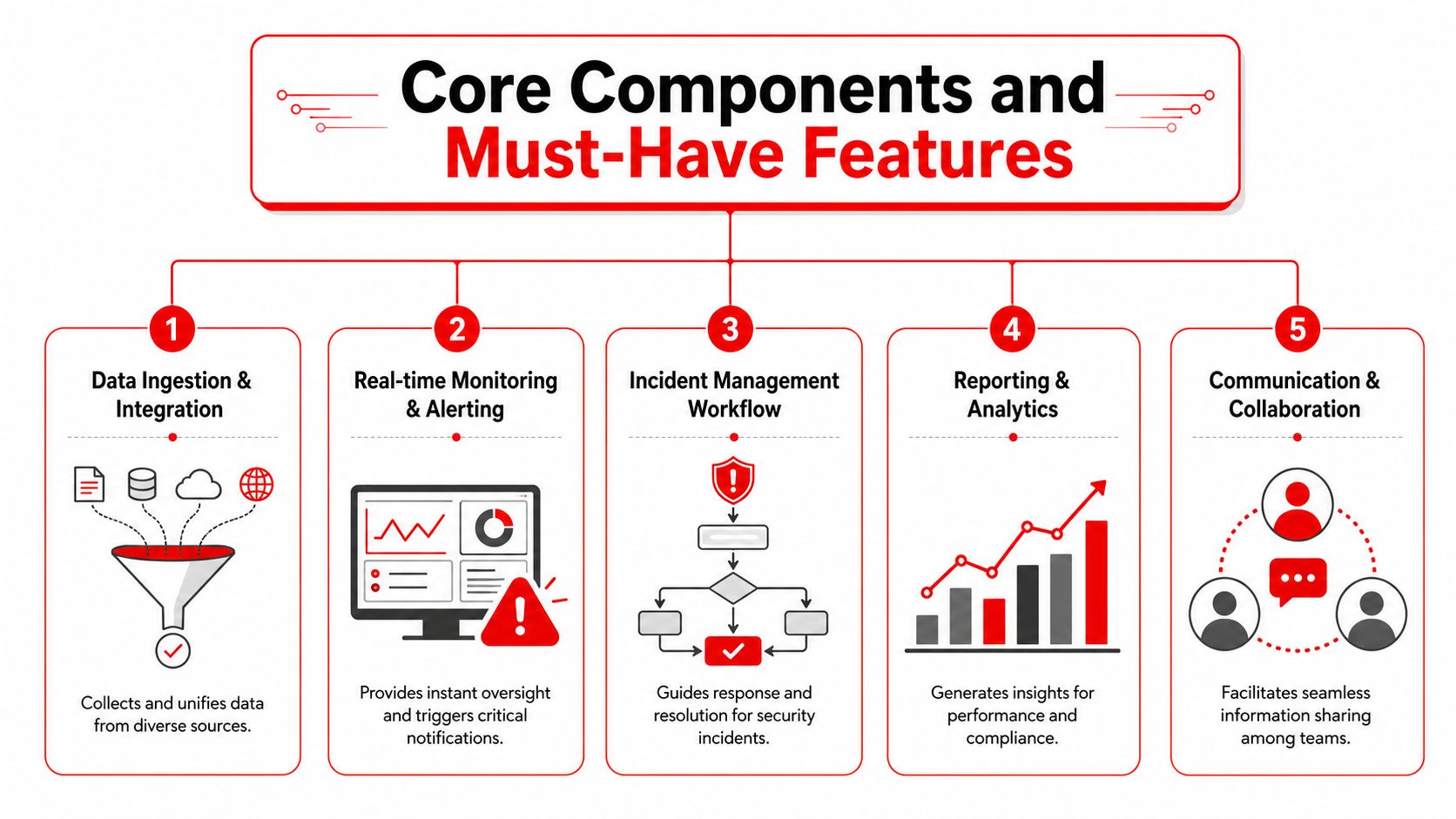
Data ingestion and integration
This is the foundation. The system needs to pull in information from access control, CCTV events, alarm systems, mobile guard reporting tools, patrol logs, email security alerts, endpoint detections, and venue operations platforms where relevant.
For events, many deployments fall short in a critical area. They ingest digital logs but ignore physical security records. That gap is significant. Industry data shows 68% of Australian organisations report security incidents involving both physical and digital vectors, but only 12% have integrated physical event data into their SIEM, creating a blind spot that unified systems address, according to ACSC guidance on implementing SIEM and SOAR platforms.
Real-time monitoring and alerting
A live event doesn't give your team the luxury of waiting for end-of-day review. Supervisors need screens that highlight active issues, not walls of unreadable data.
What works:
- Role-based dashboards so control room staff, venue managers, and lead guards each see what they need.
- Priority thresholds that separate routine activity from escalation-worthy incidents.
- Clear alert logic that avoids flooding staff with noise.
What doesn't work:
- One giant dashboard everyone shares but nobody trusts.
- Unfiltered alerts that train staff to ignore the system.
- Static views that don't adapt to event zones, shifts, or incident categories.
Incident workflow and reporting
The best systems don't stop at detection. They move an issue through acknowledgement, assignment, action, closure, and review.
Look for:
- Mobile incident capture from guards on the ground
- Supervisor escalation paths tied to incident type
- Searchable logs for audits and debriefs
- Exportable reports that support licensing, insurance, and management review
Field advice: If a guard can't log an incident in under a minute on a handheld device, reporting quality will drop the moment the site gets busy.
Correlation and context
Correlation is where the system starts earning its keep. This engine links related events that might look harmless in isolation. A forced door event, a patrol note about an unknown contractor, and a failed account login might be unrelated. Or they might describe the same developing risk.
For event and venue managers, correlation matters because threat patterns often span teams. Security, operations, and IT may each see a piece of the problem.
Communication and collaboration
Many buying teams forget this feature until rollout. But if the platform can't help people coordinate, it becomes a passive record system rather than an active management tool.
The strongest platforms support handover notes, internal comments, task assignment, and a shared incident timeline. That's what turns information into action.
Major Benefits for Australian Events and Venues
A Saturday night crowd is building. One guard logs a patron refusal on a phone. Another radios in a side-gate issue. CCTV shows movement near a loading dock. IT sees repeated failed credential use on a staff system. If those details stay in separate places, the control room is managing fragments. A Security Event Information Management System brings them into one operating picture.

Better situational awareness across the whole site
Australian venues rarely deal with a single, tidy security environment. They deal with public entry, bars, plant rooms, service corridors, contractor access, temporary fencing, car parks, and external queues. Each area produces its own signals.
The practical gain is not just visibility. It is shared context. Control room staff, duty managers, and supervisors can look at the same incident trail instead of comparing radio traffic, handwritten notes, emails, and separate device alerts after the fact.
For event managers, that works like having one run sheet for security, not six different versions floating between teams.
Faster and more accurate decisions during incidents
Speed helps. Accuracy prevents small incidents from turning into operational problems.
When physical security reports sit alongside digital alerts, teams can judge the situation properly. A door alarm on its own may be a maintenance issue. A door alarm paired with a guard note about an unknown contractor and a failed access attempt points to something worth escalating.
That changes real decisions on the ground:
- Escalation: Does the incident stay with floor security, or does it need a supervisor, medic, police liaison, or venue management?
- Resource allocation: Do you send one guard, a pair, or a response team with body-worn video?
- Operational continuity: Can the area stay open, or does traffic need to be redirected while the issue is contained?
A good system shortens the time between first report and informed action.
Stronger compliance and defensible records
Venues and event operators are often judged after the incident, not during it. Licensing reviews, insurer questions, police follow-up, and internal investigations all depend on the quality of the record.
A structured system helps because it creates a consistent chain of events. Who reported the issue. When it was acknowledged. What action was taken. Who approved the response. What evidence was attached. That matters for RSA-related incidents, patron removals, use-of-force reviews, contractor disputes, and post-event debriefs.
Consistency also reduces argument later. If every incident is logged in a different format, review becomes guesswork. If records follow a standard workflow, management can defend decisions with timestamps, notes, attachments, and a clear sequence of actions.
A verbal handover helps for the next hour. A searchable incident record helps for the next hearing, claim, or audit.
Lower administrative friction for security and operations teams
Security teams lose time in familiar ways. The guard writes notes on paper. The supervisor retypes them into a report. The control room emails a summary. The operations manager asks for the same details again on Monday.
A central system cuts that duplication. It also reduces the small failures that create larger headaches later, such as missed follow-ups, unclear handovers, and incomplete incident histories across multi-day events.
Common operational gains include:
- Less double handling of the same incident across notebooks, radios, spreadsheets, and email
- Cleaner shift handovers with open actions and unresolved issues visible in one place
- Better trend tracking for repeat offenders, recurring access problems, or problem zones
- Faster debrief preparation after major events or serious incidents
This is usually where venues see the first practical return. Staff spend less time chasing records and more time managing the site.
Better public safety and better staff protection
The strongest benefit is operational safety. Early pattern recognition gives teams more room to act before a problem spreads through a crowd or across the venue.
That matters for patron behaviour, queue pressure, perimeter breaches, after-hours access, and contractor activity. It also matters when a physical incident has a digital thread. Stolen credentials, misuse of staff access, or suspicious logins can sit in the background of what looks like a routine venue issue.
Frontline staff are safer when they know what they are walking into. A lone disturbance, a group conflict, and a coordinated distraction require different responses. A unified system gives that context before the team arrives, not after the report is written.
Practical Implementation and Integration Steps
Buying a Security Event Information Management System is the easy part. Making it work in a live environment takes planning, discipline, and some restraint. Teams get into trouble when they try to connect everything at once without fixing basic reporting habits first.
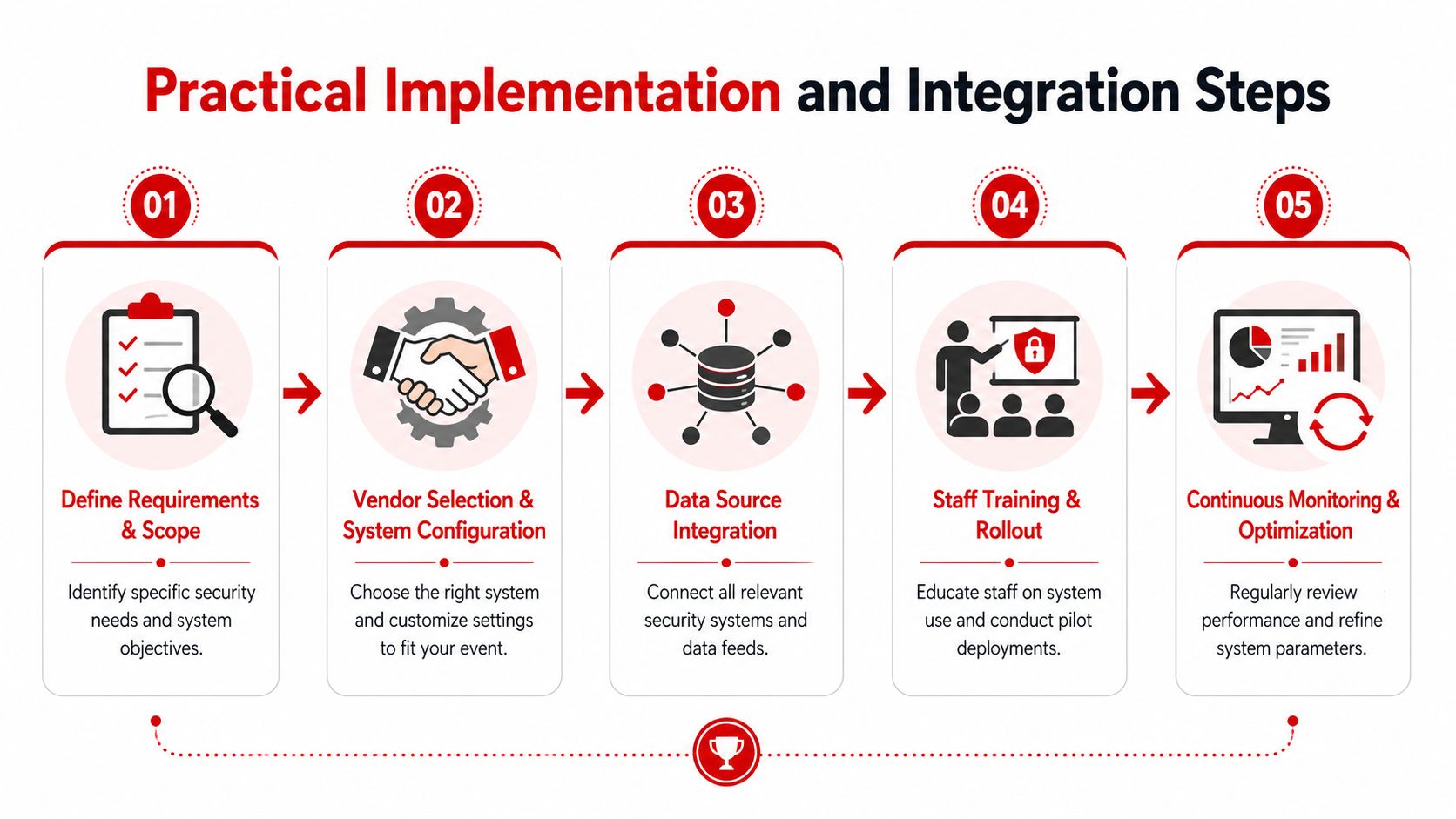
Start with the incidents you actually manage
Begin with the operational scenarios that happen on your site, not with a vendor feature list. For a venue, that might include entry refusals, intoxication incidents, perimeter breaches, suspicious behaviour, contractor issues, lost property, after-hours alarms, or staff duress events.
List them in plain language, then ask:
- Where does the first report come from?
- Who owns the next decision?
- What evidence should be attached?
- Who needs to see the record later?
That exercise usually exposes the gaps. Many venues discover they have a reporting process, a communications process, and an audit process, but those processes don't connect.
Standardise the record before you automate it
Automation only helps once staff capture incidents consistently. If one guard writes “aggressive male”, another writes “verbal conflict”, and a third selects “anti-social behaviour”, your reporting quality will remain uneven.
Build a shared taxonomy for incident types, locations, escalation levels, and outcomes. Keep it practical. Supervisors should recognise the categories immediately, and frontline staff should be able to apply them under pressure.
A solid incident record for events usually includes:
- Time and location
- People involved
- Observed behaviour or trigger
- Action taken
- Outcome
- Supporting files, such as images, notes, or linked alerts
Connect physical and digital sources in a controlled order
Don't try to ingest every signal on day one. Start with the systems that shape real response decisions.
A sensible order often looks like this:
- Mobile guard reporting and supervisor logs
- Access control and alarm events
- CCTV triggers and control room annotations
- Core IT and cloud alerts for venue operations
- Specialised feeds, such as contractor management or visitor systems
This staged approach lets teams test workflows without overwhelming users.
Implementation note: The best rollout sequence is the one your supervisors can explain back to you without reading a manual.
Fix time synchronisation early
If timestamps don't line up, correlation breaks. A patrol observation logged at one time, a door alarm recorded at another, and a system alert stamped differently can make one incident look like three unrelated events.
For accurate event correlation, AU-compliant implementations require all network devices to be synchronised to a central time server, ensuring audit logs share a consistent time source, which is a prerequisite for detecting complex attack sequences, as set out in guidance on using SIEM tools to manage cyber security risks.
In event terms, this is the equivalent of making sure every guard, camera, and controller is working from the same event clock.
Train by role, not by system menu
One of the biggest implementation mistakes is giving everyone the same system training. A control room operator, a patrol guard, a venue duty manager, and an IT lead all use the platform differently.
Break training into role-based workflows:
- Frontline staff should learn fast incident capture and escalation.
- Supervisors should learn triage, tasking, and review.
- Managers should learn reporting, audit retrieval, and trend analysis.
- Technical staff should learn integration health, permissions, and data quality checks.
Protect privacy and reporting discipline
A unified system concentrates information, which means permissions matter. Staff should only see what they need for their role. Sensitive records need clear access rules, review pathways, and retention practices.
The best operational habit is simple. If an event matters enough to mention on the radio, it probably matters enough to structure properly in the system.
How to Evaluate and Pilot Your New System
A strong Security Event Information Management System should fit your operation before it expands it. That means evaluating the system against your workflows, not against a polished demo.
Evaluation checklist
| Criterion | What to Look For | Importance (High/Med/Low) |
|---|---|---|
| Integration with guard reporting | Can it capture and structure patrol notes, incident reports, and supervisor updates from mobile devices? | High |
| Physical and digital event visibility | Can it present venue incidents and technical alerts in a shared timeline or dashboard? | High |
| Incident workflow control | Can you assign, escalate, close, and review incidents with clear ownership? | High |
| Reporting quality | Can managers generate consistent reports for incidents, reviews, and compliance records? | High |
| Searchability | Can staff retrieve older incidents quickly by date, location, incident type, or person involved? | High |
| Scalability | Can it work for a single venue, then expand to festivals, multiple sites, or rotating event formats? | Med |
| Ease of use | Can frontline staff use it with minimal friction during a busy shift? | High |
| Permissions and access control | Can different user groups see only the records relevant to their role? | High |
| Vendor support | Will the provider help configure workflows, integrations, and operational changes? | Med |
| Cost fit | Does the pricing model suit your event volume, venue footprint, and reporting needs? | Med |
Run a pilot in one controlled area
The best pilot is narrow enough to manage and broad enough to prove value. For a large event, test one gate, one stage precinct, or one control room workflow. For a venue group, test one site with active weekend trade.
Use a pilot to answer practical questions:
- Are guards logging incidents properly?
- Do supervisors trust the alerting and workflow logic?
- Can managers retrieve useful reports without technical help?
- Are timestamps, categories, and incident outcomes consistent?
Define success in operational terms
Don't overcomplicate your success criteria. You're looking for signs that the system improves control.
Useful pilot markers include:
- Fewer duplicate reports
- Cleaner handovers
- More complete incident records
- Better visibility across teams
- Less confusion during escalation
If a pilot only proves the software can collect data, it hasn't proven much. A useful pilot proves your team can operate better with it than without it.
After the pilot, review the workflow with actual users. Frontline staff usually spot practical friction faster than procurement teams do.
Frequently Asked Questions
Is a security event information management system only for large enterprises
No. That assumption causes many venues to delay useful improvements. A smaller operator may not need a highly complex enterprise deployment, but it can still benefit from centralised incident capture, structured reporting, and unified visibility across physical and digital events.
How long do Australian organisations need to keep security event logs
Under the Australian Information Security Manual, event logs for administrative and security-related events must be retained in a searchable format for at least 12 months to support threat hunting and incident response, according to the ISM guidelines for security assurance.pdf).
That matters for venues because searchable retention is different from merely storing PDFs or old emails. If you can't retrieve and query the record properly, the log won't be very useful during an investigation or audit.
What should each logged event contain
At a practical level, a useful event record should capture the basics needed for reconstruction and review. That includes when it happened, where it happened, who or what was involved, what occurred, and what action followed. The more consistently your team records those details, the more valuable your system becomes.
Is this the same as a CCTV platform or an incident register
No. CCTV platforms show video. Incident registers store records. A security event information management system sits above those functions by bringing different inputs together, supporting correlation, workflow, and reporting.
What's the biggest mistake during rollout
Treating the project as a software installation rather than an operational redesign. If incident categories are unclear, staff training is shallow, or supervisors still rely on side-channel communication, the platform won't deliver its full value.
Can physical guard reports really sit alongside cyber events
Yes, and for event operators that's often where the biggest benefit sits. A suspicious person report, access issue, and account anomaly may be pieces of the same operational problem. When teams can review them together, their decisions improve.
If you're reviewing how to strengthen reporting, compliance, and live incident coordination across venues, festivals, construction sites, or hospitality operations, GM GROUP Services is a practical partner to speak with. Their team works across NSW, VIC, QLD and the ACT, and understands the on-ground realities of guard deployment, patrol reporting, venue compliance, and multi-site security operations in Australia.
Discover more from GM Group Services
Subscribe to get the latest posts sent to your email.