


Privacy confidentiality gets tested in the smallest moments. A guest list left on a counter, a staff member confirming a VIP arrival to the wrong person, a clipboard passed across a crowded foyer, these are the kinds of mistakes that turn an ordinary shift into a compliance problem. In event and venue work, confidentiality isn't just about locked systems, it's about what your team says, where it says it, and who can overhear it.
That's why privacy confidentiality should be treated as an operational control, not an abstract policy. The Australian breach picture makes that clear, with the OAIC's Notifiable Data Breaches reporting showing 527 notifications in the first half of 2025 and 1,113 in the second half of 2024, while human error remains the most common source of breach incidents (OAIC breach reporting context). If you manage guests, contractors, staff records, CCTV, or incident notes across NSW, VIC, QLD, or the ACT, the risk sits in daily routines, not just in cyber tools. For a practical comparison of software and planning options that affect those routines, an event organiser's guide to software costs is a useful place to sanity-check what your team is using.
The Hidden Risks in Everyday Operations
A venue manager often looks first at cyberattacks, yet the earliest breach usually starts at the front desk. A guest list is left beside the EFTPOS terminal, a contractor asks who is using the side entrance, and a staff member answers too loudly because they assume everyone in the foyer is meant to hear. By the end of the night, private attendance details have moved further than the organiser intended.
That kind of slip is why privacy confidentiality has to be managed as part of daily operations, not left to policy documents. In event and venue work, the weak point is usually a person under pressure, not a locked server room. A misplaced form, an unattended laptop, a clipboard left on a bar, or a casual comment at a loading dock can create exposure just as quickly as a technical fault.
Practical rule: if a detail would embarrass the guest or create a complaint if repeated aloud, treat it as confidential before you write it down.
For event teams, the commercial impact shows up quickly. Once a venue gains a reputation for loose handling of guest, staff, or VIP information, clients start asking harder questions about access control, incident response, and record keeping. That scrutiny is sharper in NSW, VIC, QLD, and the ACT, where privacy failures can intersect with venue licensing, contractor management, and CCTV handling in ways that affect the whole operation.
The simplest test is at each handover point. Ask whether the information would still be safe if a contractor, supplier, or waiting patron saw it. If the answer is no, the process needs tightening. The same applies to your systems and your paperwork. Even practical choices about forms, booking tools, and shared devices can shape how easily staff keep information under control, which is why an event organizer's guide to software costs is useful when you are checking what your team is using.
Privacy vs Confidentiality What Is the Difference
Privacy and confidentiality get mixed up because they often appear together, but they don't mean the same thing. Privacy is the right to keep your diary closed. Confidentiality is the duty of the person you trusted with the diary not to read it aloud.
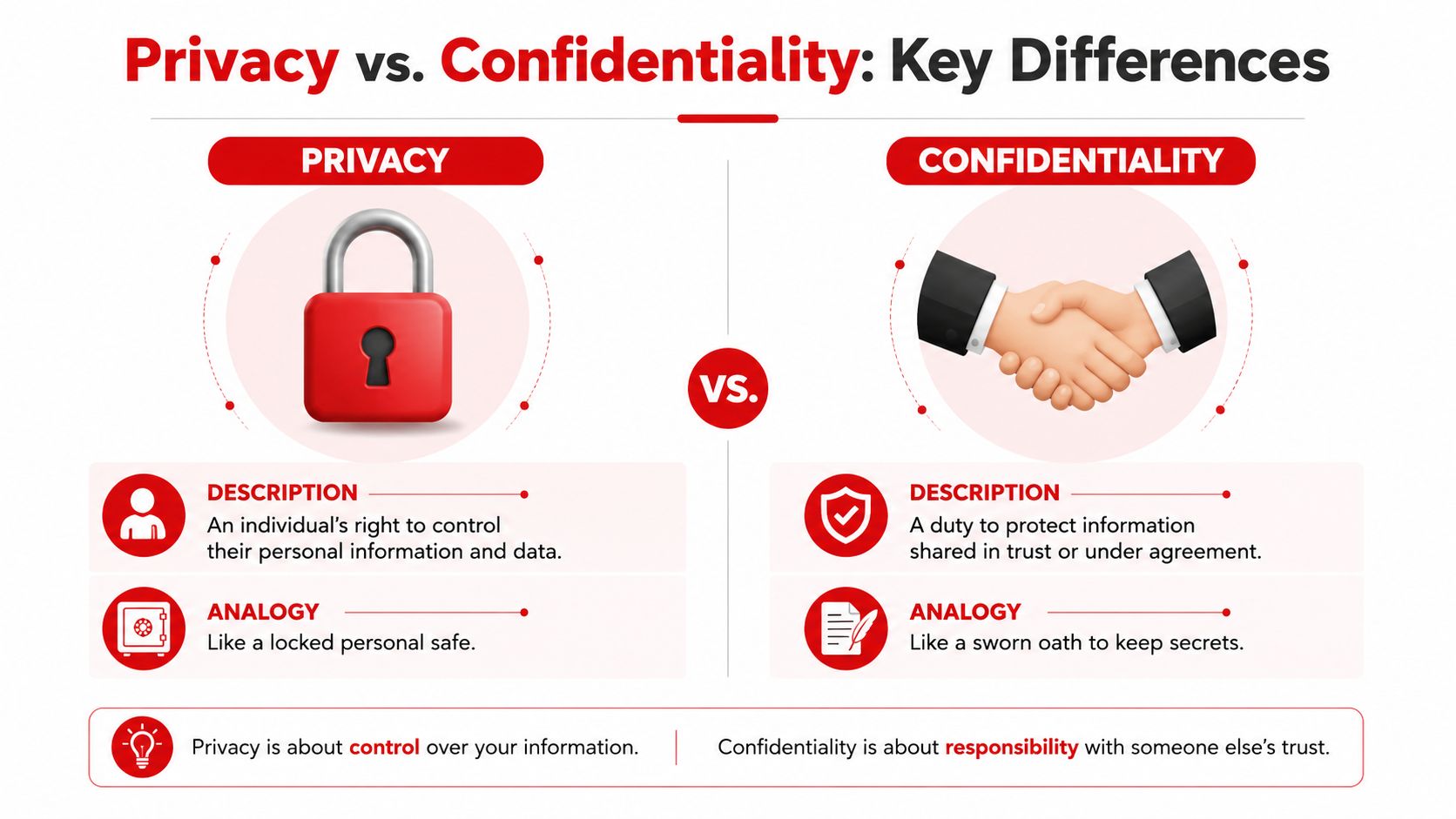

A venue manager needs both concepts, but the controls are different. Privacy shapes what information you collect and why. Confidentiality shapes who can access it, how they can use it, and what they must never repeat casually.
For a broader policy comparison, a data privacy resource for Canadian businesses can help teams see how organisations distinguish governance from handling rules, even though the legal framework differs from Australia's.
Privacy vs. Confidentiality at a Glance
| Attribute | Privacy | Confidentiality |
|---|---|---|
| Scope | The person's control over personal information | The duty to protect information shared in trust |
| Legal basis | Collection, use, storage, and disclosure rules | Trust, role obligations, policy duties, and legal restrictions |
| Relationship | The individual and the organisation | The organisation and the people who handle the information |
| Example in a venue | A patron decides what ID details are given at check-in | A staff member doesn't repeat those ID details to another guest |
That distinction matters on the floor. Privacy is about whether you should ask for a detail at all. Confidentiality is about what happens after someone has given it to you.
A simple way to remember it is this. Privacy asks, “Should this be collected?” Confidentiality asks, “Who else gets to know?” In event security, both answers need to be deliberate, not improvised at the counter.
Your Australian Legal Obligations for Privacy Confidentiality
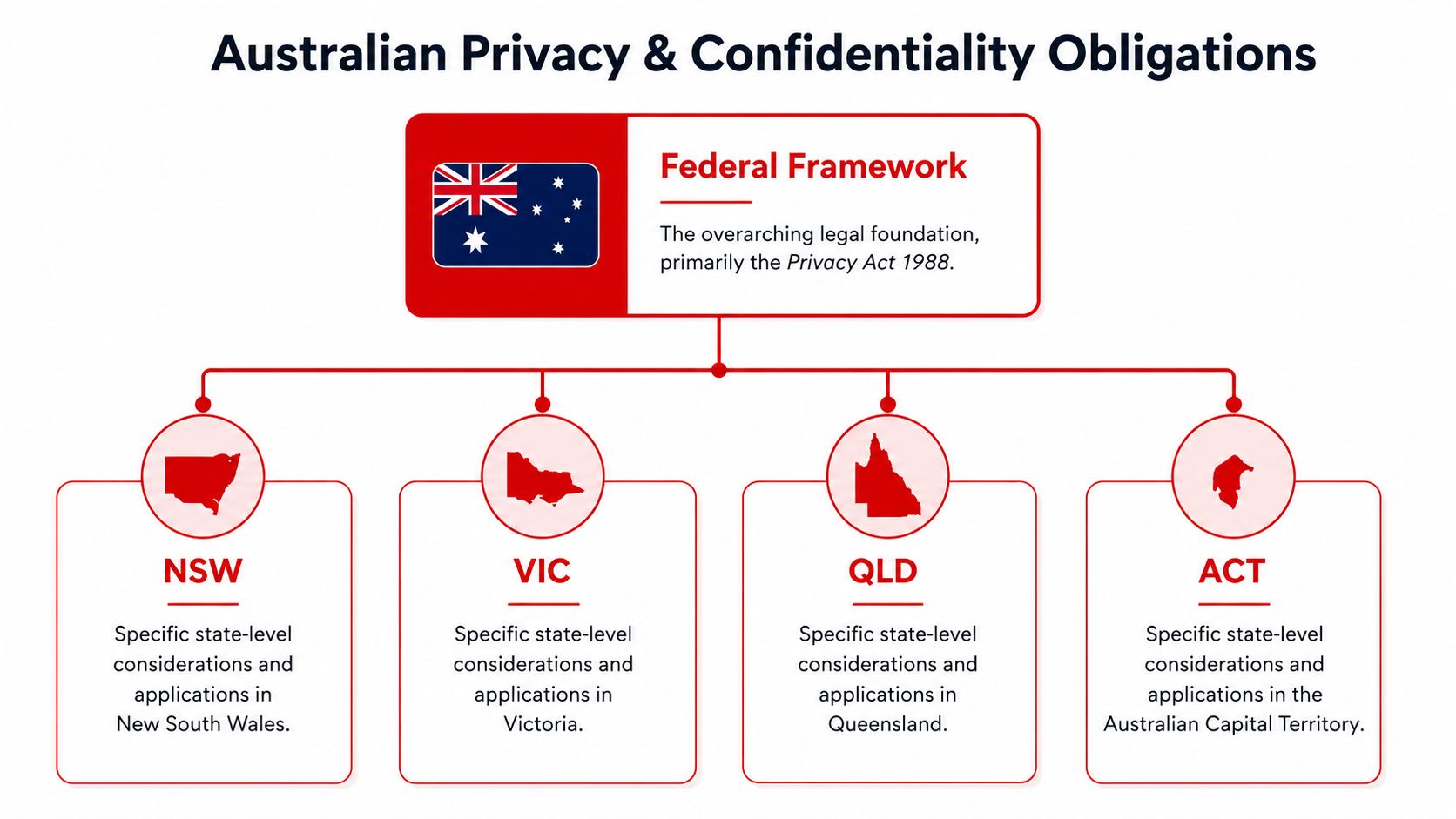
Australia's privacy framework starts with the Privacy Act 1988 (Cth), which has been modernised over time through later amendments, showing that confidentiality is now part of an actively revised regulatory regime rather than a static rulebook (legal history context). For venue operators in NSW, VIC, QLD, and the ACT, that means the job isn't to guess at “good practice”. It's to align collection, use, storage, and disclosure with the Australian Privacy Principles.
What counts as personal information in a venue
In a venue setting, personal information can include names, phone numbers, ID details, contractor records, guest lists, incident reports, and CCTV-linked identity information. The practical question is not whether the data looks sensitive on its face, but whether it can identify a person or reveal something about their attendance, movements, or behaviour. That's why check-in sheets, wristband registers, and visitor logs all need handling discipline.
For a security business perspective, an information on data privacy page is a useful reminder that forms should explain retention, third-party sharing, and correction rights before collection happens. That line matters because people often collect first and explain later, which is backwards under a compliance-focused approach.
Operational takeaway: if your form asks for it, your privacy policy should say why you need it, where it goes, and who can see it.
What the law expects in plain English
The OAIC expects organisations to have a clearly expressed and up-to-date privacy policy that covers what personal information is collected, how it's held and used, who it's disclosed to, and how individuals can access and correct it (OAIC policy expectation). In practice, that means your team can't keep confidentiality rules trapped in a manager's head. They need to be written, current, and usable by front-line staff.
The legal standard also makes a basic distinction that venues should respect. Collection must be lawful and necessary, use and disclosure must stay within the stated purpose or a valid exception, and security controls must prevent unauthorised access. For operators, that's not just legal theory. It's the difference between a clean handover and a reportable incident.
9 Practical Security Controls for Events and Venues
1. Classify the information before it enters a system
Set guest, contractor, staff, and incident records into clear sensitivity categories before they are stored or shared. A VIP arrival sheet does not carry the same exposure as a public event roster, and a medical incident note needs tighter handling than a general shift memo. Controls guidance from ISACA technical controls places classification alongside role-based permissions, encryption, and logging as part of everyday privacy control.
2. Restrict access by job function
Front-of-house staff should not see everything an operations manager sees, and casual employees should not browse contractor details out of curiosity. Role-based access reduces the blast radius if a password is shared or a device is left open. It also makes it easier to show who accessed what if something goes wrong.
3. Encrypt records in transit and at rest
If a file leaves the register, the device, or the office network, it should still be protected. That applies to portable drives, cloud storage, shared inboxes, and mobile devices used by supervisors. If the data can be copied in a minute, it can be leaked in a minute.
4. Tighten CCTV signage and footage handling
CCTV signs should tell people that surveillance is in use and where to ask questions about it. Footage should be stored, reviewed, and shared only by authorised staff, because camera access often reveals more than just images, it can expose routines, staffing levels, and incident timing.
5. Fix the physical layout, not just the software
Confidentiality failures can come from the room itself, not the network. Signage, unit names, queue placement, waiting areas, and check-in counters can all expose why someone is present (physical design risk context). A discreet check-in desk, sensible room labels, and a private handover point can stop leaks before they happen.
6. Train staff on a short script
A short script stops casual disclosure. For example, “I can't confirm guest details at the counter, but I can help you with the booking contact after we verify your identity.” That keeps staff consistent and reduces the pressure to improvise in public.
7. Keep incident notes factual and limited
Write what happened, who was involved, and what action was taken. Leave out speculation, gossip, or commentary that does not help the response. Those notes can become discoverable later, so accuracy and restraint matter.
8. Control VIP and sensitive attendance information
Use a need-to-know list, not a broad distribution chain. Covert or discreet arrangements work only when transport, entry, and back-of-house staff know the minimum required detail. GM GROUP Services, for example, structures its work around fit-for-purpose deployment, which suits sensitive sites where information control matters more than broad visibility.
9. Audit logs and review them
Logging only helps if someone checks it. Keep records of access, file changes, and sharing events, then review anomalies after shifts or incidents. Audit trails turn a privacy problem into something you can investigate instead of guess at.
How GM GROUP Services Implements Fit-for-Purpose Measures
A venue in Sydney, Melbourne, Brisbane, or Canberra does not need generic “more security”, it needs a deployment that matches the actual privacy exposure on that site. In practice, that means risk assessments that look at the layout, the kind of information being handled, the flow of people, and the points where staff might accidentally reveal something they should not.
Specific controls beat one-size-fits-all coverage
A festival gatehouse, a hotel front desk, and a retail back office do not leak information in the same way. A provider should assess where guest lists are stored, who hands out passes, which staff handle ID checks, and where conversations can be overheard. When those details are mapped properly, supervision becomes specific instead of generic.
Staff training needs the same discipline. Guards and supervisors should know what can be confirmed, what must stay private, and when to escalate a request to management rather than answer it on the spot. Confidentiality usually fails in routine interactions, not dramatic incidents.
Fit-for-purpose service should match the risk
The right response can include static guards, covert operations, gatehouse control, VIP or bodyguard protection, or incident monitoring, depending on the environment. It can also include site-specific reporting so management can see where information handling is slipping before it becomes a complaint. If you are comparing providers, the question is whether they can explain how they protect records, people, and access points together, not separately.
Under Australia's Privacy Act, organisations must have a clearly expressed privacy policy, and that policy should line up with how staff handle forms and records in practice. A security provider's process matters as much as patrol presence, because privacy confidentiality only works when on-site behaviour matches the written policy.
Incident Reporting and Response a Vital Component
A breach response starts with containment. Stop further access, secure the device or file, and keep the circle of people informed as tight as possible until the facts are clear. If staff start discussing the incident in the office, on radios, or over chat before anyone has confirmed what happened, the breach becomes harder to contain and harder to explain.
The next step is to assess the risk of harm. Check what information was exposed, who may have seen it, and whether the file, device, or note can still be recovered. Record that assessment in the incident log, because audit trails and logs show what was accessed, when it was accessed, and what action followed, which supports privacy risk management and compliance monitoring.
Operational takeaway: if you cannot explain the incident in plain English, you are not ready to brief management or decide whether external notification is needed.
Escalation should follow a fixed order. Senior management needs the facts, legal or compliance needs the policy and notification angle, and IT or system support needs the technical trail. In a venue, that response chain should already be written into the emergency folder, so the team is not inventing procedure after a breach has already happened.
Frequently Asked Questions on Privacy and Confidentiality
When can confidential information be disclosed?
Only when the law requires it, or when disclosure is needed to prevent serious harm. Even then, the disclosure should be minimal, necessary, and justifiable (ethical boundary guidance).
Can staff talk about a VIP arrival if the guest already knows?
Not unless they're authorised and there's a real operational reason. “The guest knows” doesn't create permission for wider sharing.
What's the safest approach to CCTV and incident notes?
Collect only what you need, limit access by role, and keep a clear record of who viewed or shared it. That keeps the file useful without turning it into loose talk material.
Does consent fix every privacy issue?
No. Consent helps only when it's informed and appropriate to the context. A venue still needs to handle data lawfully, keep it secure, and avoid over-collection.
If your venue, event, or security team needs help tightening privacy confidentiality controls across staff practice, signage, records, and incident response, contact GM GROUP Services and ask for a site-focused privacy and security review.